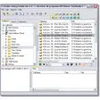
Efficiently convert, tag, and organize your music and video files with comprehensive tools and support for various formats
Efficiently convert, tag, and organize your music and video files with comprehensive tools and support for various formats
Vote (2 votes)
Program license Trial version
Developer Mymusictools
Version 5.7
Works under Windows
Vote
(2 votes)
Developer
Mymusictools
Works under
Windows
Program license
Trial version
Version
5.7
Pros
- Comprehensive solution covering conversion, tagging, and cataloging
- Fast and reliable performance on a wide range of systems
- Automatic tag completion using online databases
- Batch processing capabilities
- Supports popular audio formats and playlist files
Cons
- User interface can feel dated compared to modern applications
- Focuses heavily on audio, less on advanced video management
- Internet connection needed for automatic tag retrieval
All-in-one toolkit featuring audio conversion, tag editing, and media cataloging.
Comprehensive Suite for Music Management
Music Trio offers a robust set of tools designed for music enthusiasts and anyone managing extensive audio collections. This integrated package brings together audio conversion, metadata editing, and media organization in a unified interface, making the management of digital music libraries efficient and user-friendly.
Efficient Audio Conversion and Ripping
The first component, AudioConverter Studio, enables users to convert audio files between widely-used formats such as MP3, WMA, FLAC, and OGG. Serving as both a CD ripper and audio converter, it provides fast extraction of tracks from CDs and streamlined conversion options. Compatibility with older hardware is notable, as the software maintains impressive performance even on less powerful machines. One-click ripping and batch conversion features speed up the process for users dealing with large quantities of files.
Intelligent Tag Editing for Music Files
The second tool in the suite, mp3Tag, stands out as a versatile tag editor. Supporting formats like MP3 and WMA, mp3Tag automates the tedious task of filling in missing metadata. Using online databases such as FreeDB and Amazon, the application swiftly populates song titles, artist names, album art, and even lyrics. Advanced users will appreciate batch processing capabilities, enabling mass renaming and editing of files. Additional features include support for embedded imagery and the ability to identify and remove redundant or "orphaned" files from a music library.
Advanced Media Cataloging and Organization
Media Catalog Studio, the third pillar of Music Trio, serves as a comprehensive organizer. It indexes audio and video files across a variety of storage media—including hard drives, CDs, DVDs, and even external archives. This approach is particularly valuable for those managing vast collections spread over multiple storage devices. Searching, categorizing, and sorting files is simple, and the software offers tools to generate playlists (M3U, PLS) and manage CDPLAYER.INI files, aiding both music playback and collection management.
User Experience and Performance
The interface across all modules is straightforward, focusing on accessibility and ease of use. While not especially modern in design, the navigation is intuitive and well-organized. Performance remains reliable, with quick scanning and conversion times even when batch processing large numbers of files. Help documentation is included, providing guidance for both beginners and advanced users.
Integration and Value
Music Trio combines three specialized applications that work in harmony. This integration reduces the need to switch between multiple standalone programs, enhancing workflow and saving time for users who frequently interact with audio files.
Pros
- Comprehensive solution covering conversion, tagging, and cataloging
- Fast and reliable performance on a wide range of systems
- Automatic tag completion using online databases
- Batch processing capabilities
- Supports popular audio formats and playlist files
Cons
- User interface can feel dated compared to modern applications
- Focuses heavily on audio, less on advanced video management
- Internet connection needed for automatic tag retrieval